Responsive Web

InTurn

Empowering users to flexibly manage inventory.

RoleLead Product Designer
Team1 PM, 2 engineers, client operations, customer success
The Problem

InTurn helps brands sell excess inventory to off-price retailers. Clients upload their inventory as a spreadsheet, and InTurn displays it in a linesheet where users allocate products to buyer offers.

On the legacy platform, every new upload created a new folder. Users treated folders as a parking lot, keeping multiple versions of the same upload around. With no single source of truth, users could update inventory mid-negotiation and oversell products they'd already offered to buyers, straining client relationships.

I want to create offers only on the unoffered units left.

Apparel seller user

It's important that I lock the offer, I won't unlock them, because I want to be able to ship if buyer counters.

Apparel seller user

As part of a full inventory service rewrite (the “Next Gen” platform), I redesigned how clients manage and update inventory to close this gap.
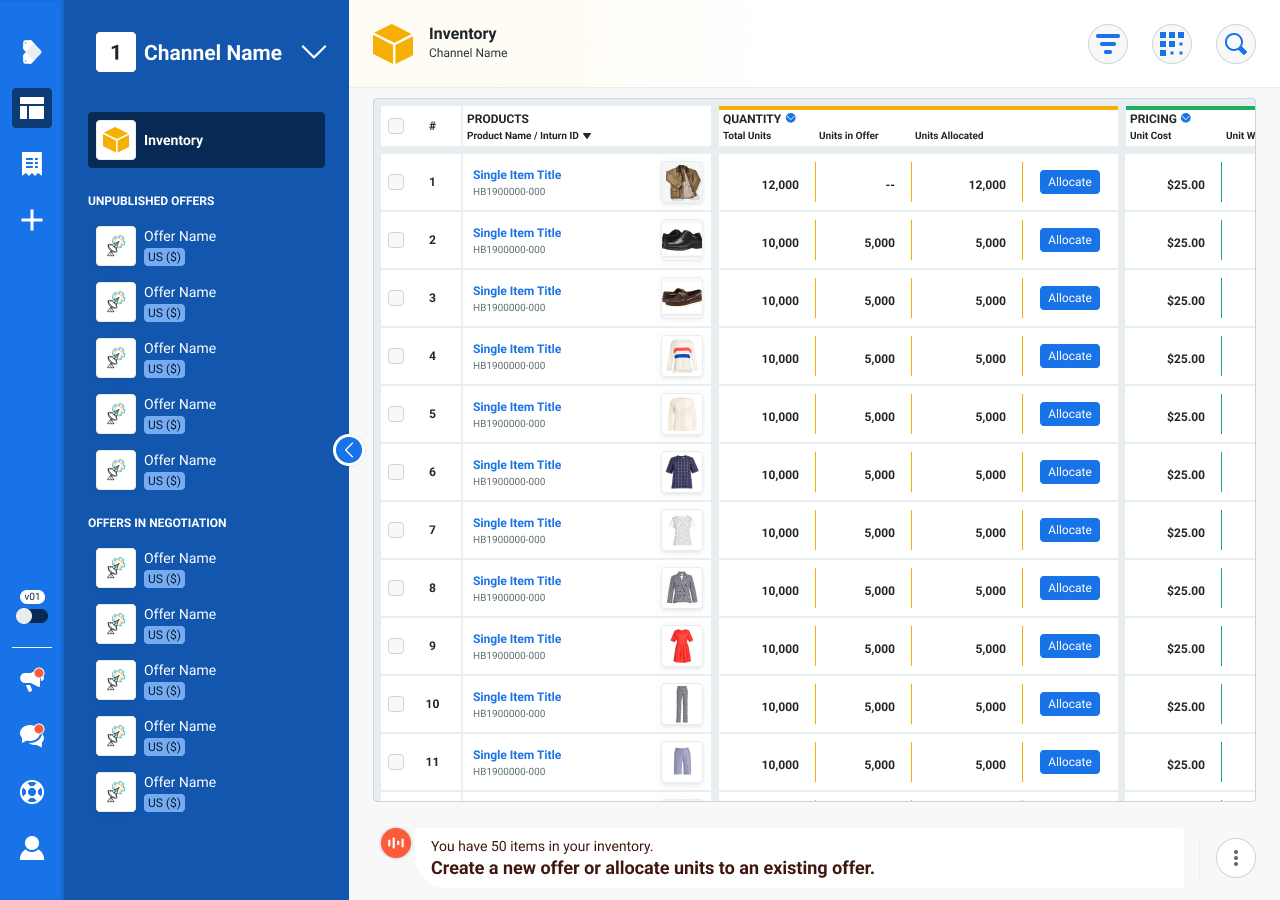
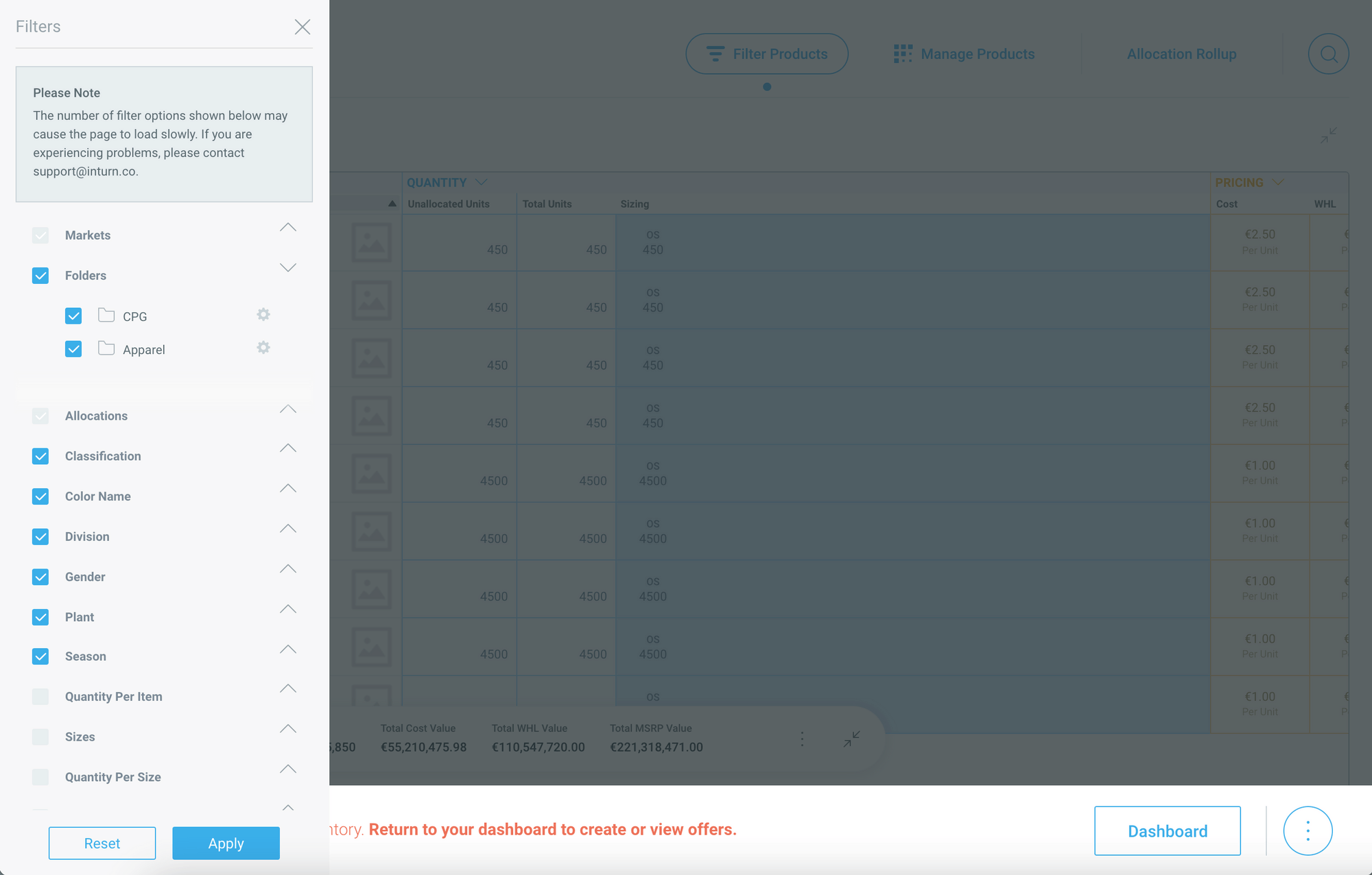
Linesheet with top-level channel selector
Legacy folder system
BeforeAfter
Drag to compare — legacy folders vs. the linesheet's new top-level channel selector.
My Role

I led design on the inventory management flows for the rewrite, partnering closely with my PM to translate the new backend architecture into a usable system. I built the flow diagrams, high-fidelity mockups, and feature documentation, and worked with engineering through implementation.

Key Decisions
1

Disposition channels

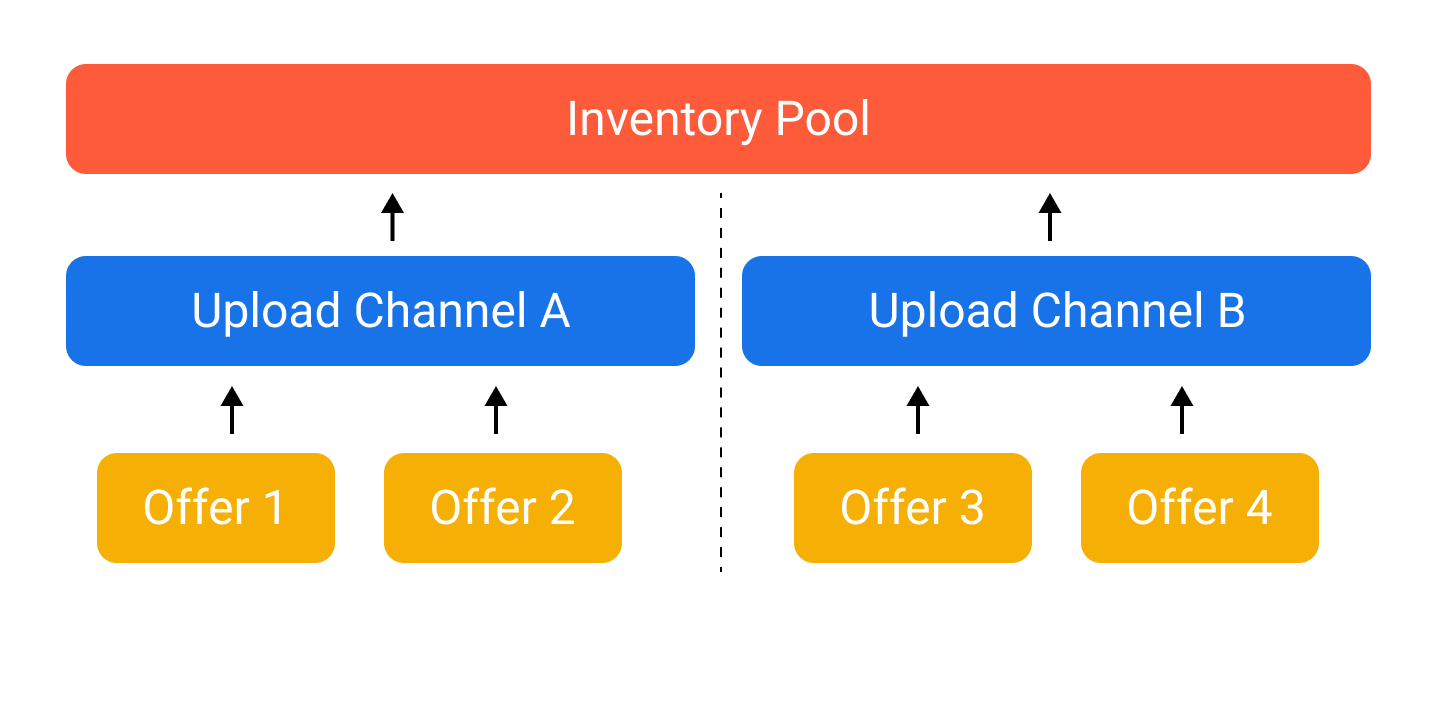
Replaced ad hoc folders with upload channels: siloed, non-overlapping sets of inventory that feed into an aggregate pool. Offers can only be created from one channel at a time, which keeps negotiation numbers consistent and prevents the version-control problems folders caused. The model was also built to extend to disposition types beyond off-price (factory, outlet), positioning it for where the product was headed next.

2

A guided update flow

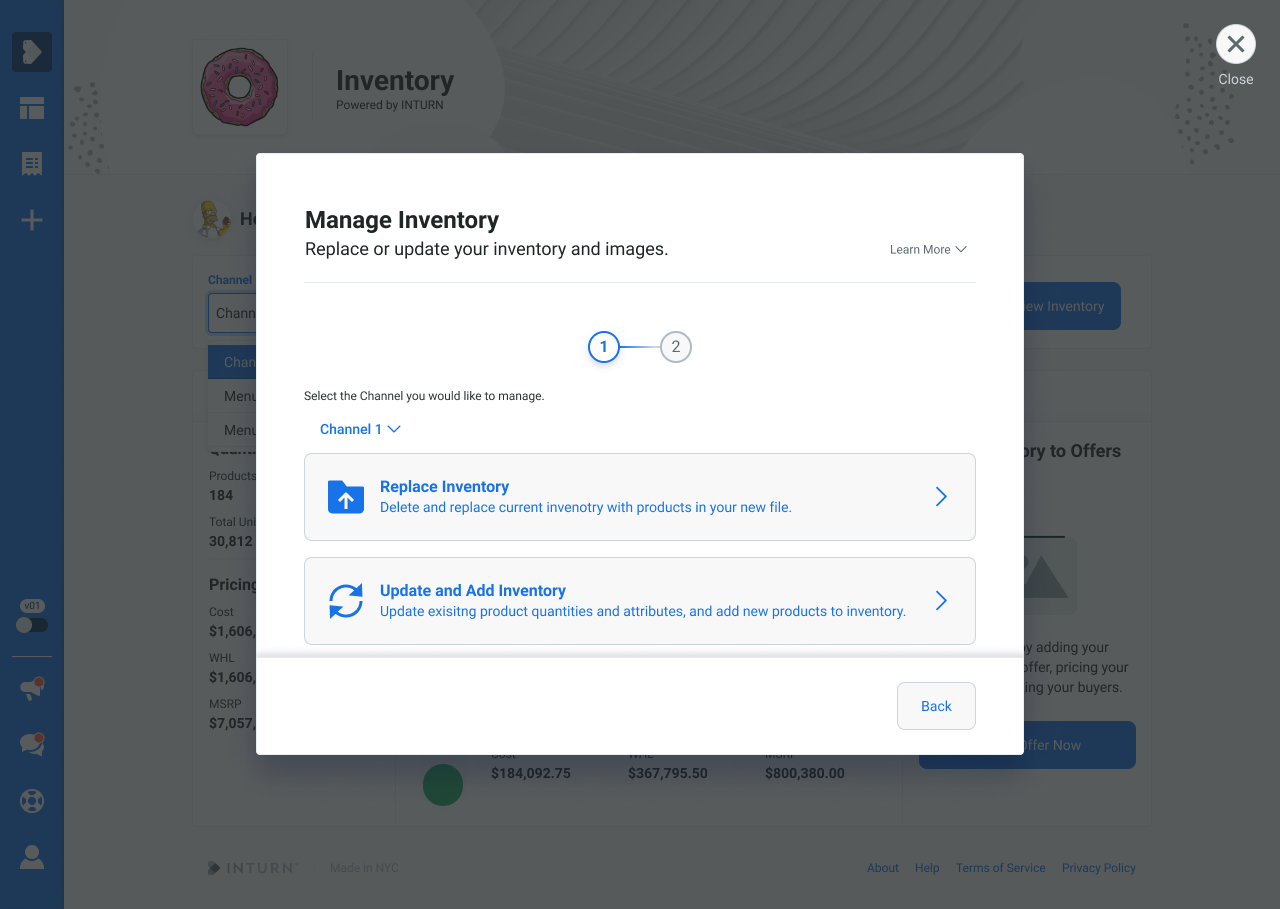
Replacing or updating inventory touches many decisions: total units or available units, quantities or attributes only, full replace or partial. I mapped every branch first, then designed the flow and guardrail copy so users could make the right choice with confidence, without needing to call customer success to walk them through it.

3

Partial replace by attribute

A new client needed to update inventory per warehouse within a single channel, without wiping products from other warehouses. Because the channel architecture was built flexibly from the start, I extended it to support a partial replace matching a specific attribute (e.g. “Warehouse 1”), proving the system could scale to new use cases without a redesign.

Disposition channels diagram
Upload channels feed an aggregate pool; offers draw from a single channel only.
The shipped result: partial replace by attribute, live in the manage inventory flow.
Manage Inventory modal, step one
Selecting how to update a channel's inventory.
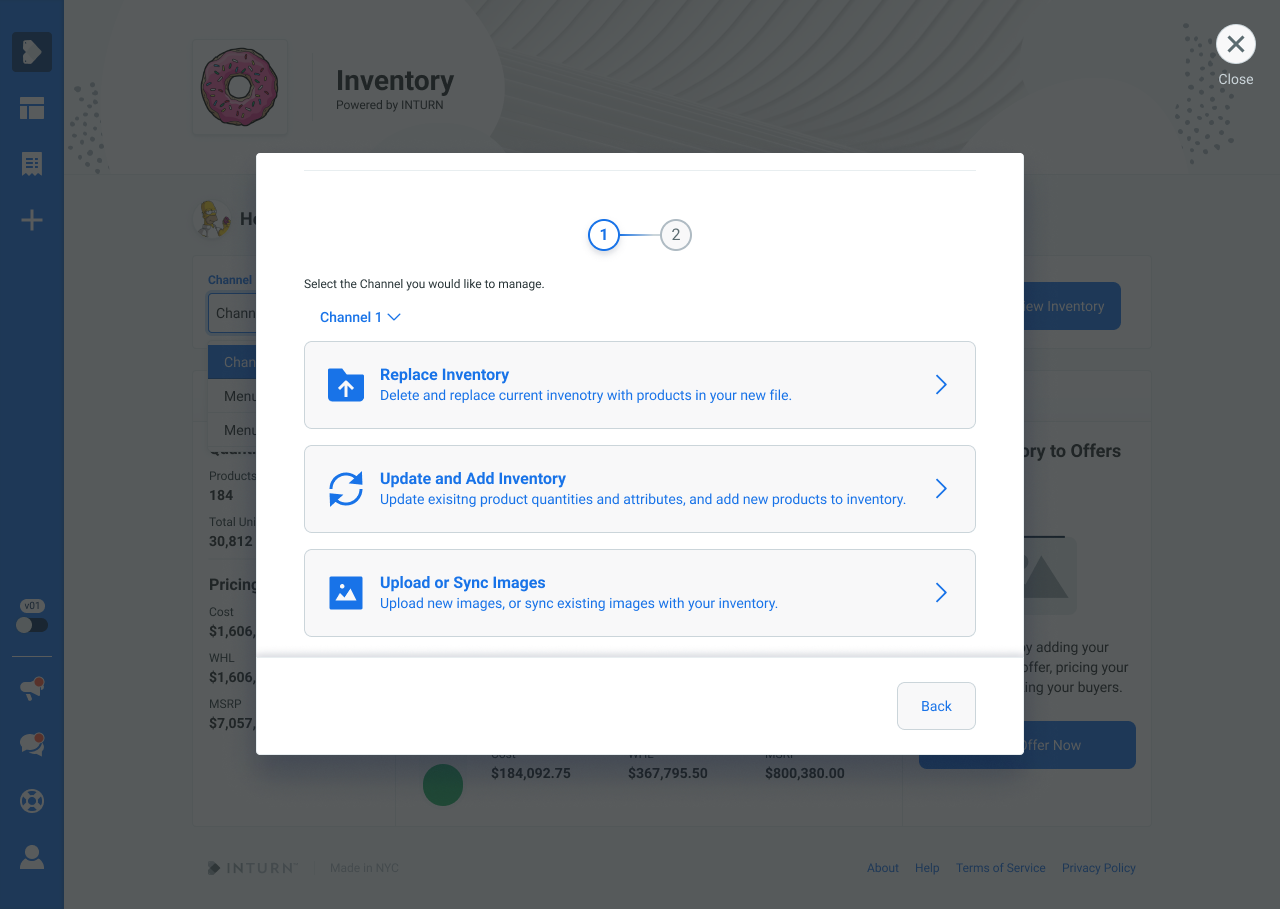
Manage Inventory modal, scrolled
The scrolled view, including the option to sync product images.
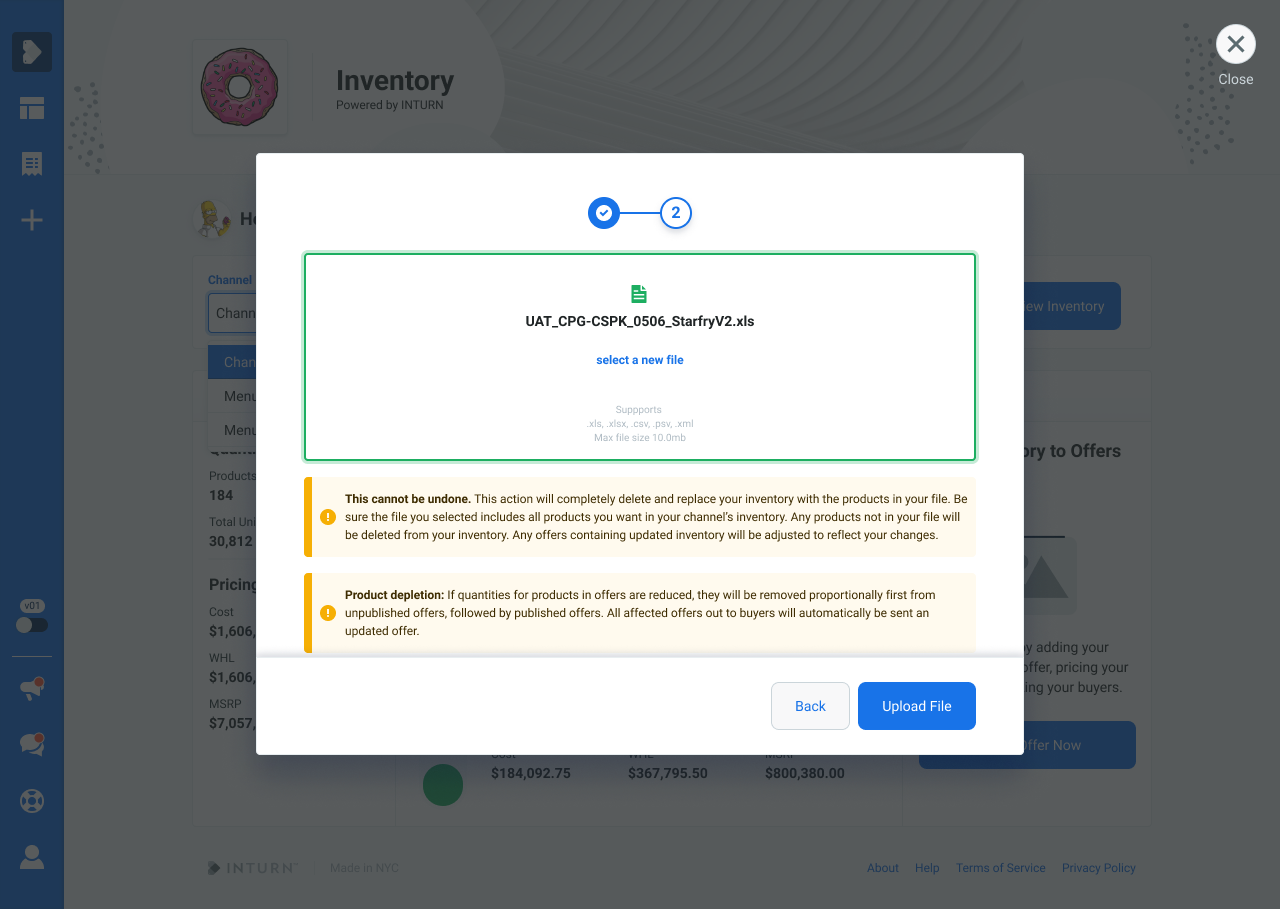
Replace inventory dropzone
Guardrail copy warns that a full replace can't be undone.
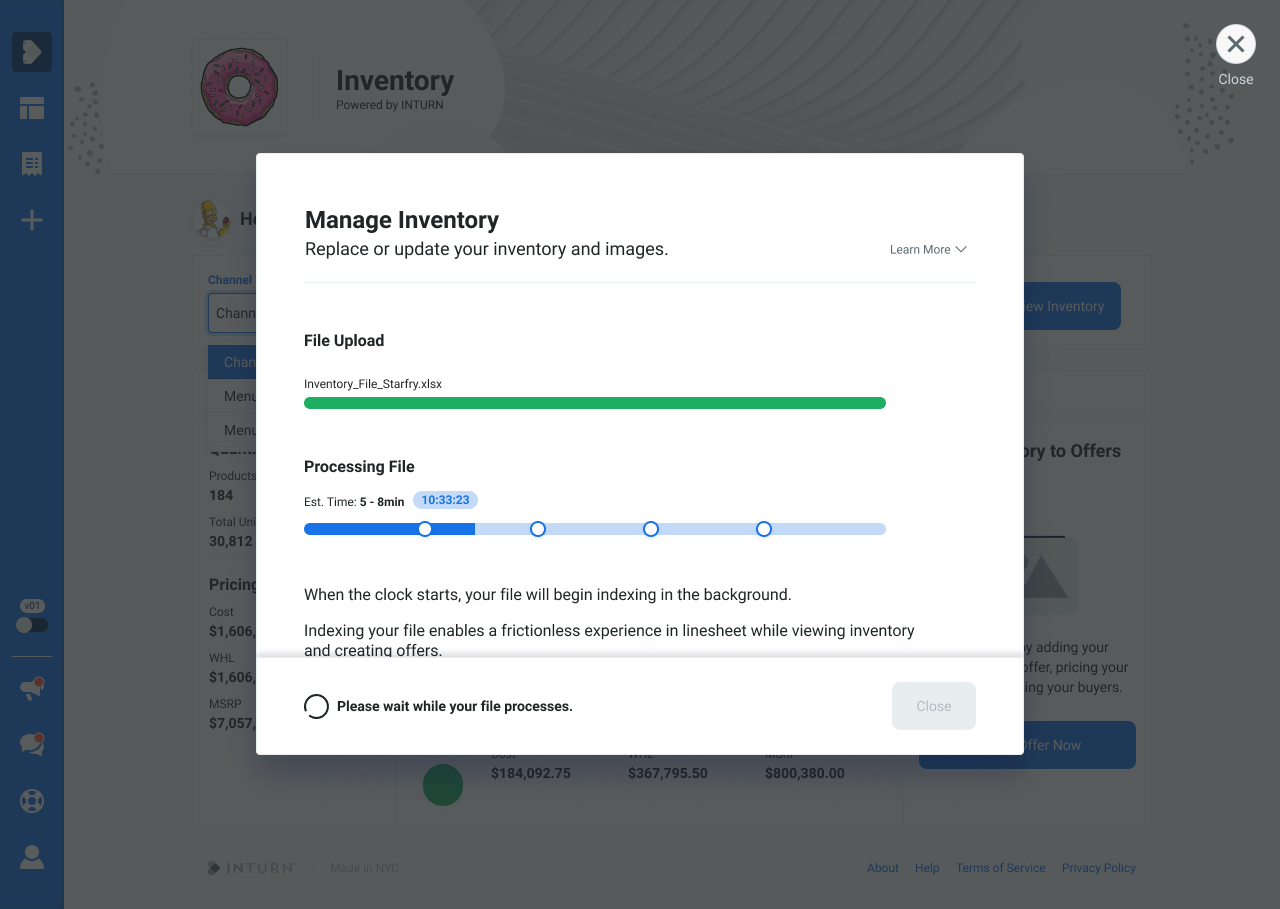
Processing modal while file uploads
The processing modal shown while an uploaded file indexes.
Outcomes
47%Drop in inventory issues reported to customer success

All clients were successfully migrated to the new disposition channels model, with no reported functionality gaps for anyone onboarded since launch.

This is so much easier to understand, and I'm no longer nervous to update the inventory myself instead of asking you to do it for me.

Apparel seller, after launch

Clients now work from a single source of truth, eliminating the duplicate-file confusion and overselling that had strained buyer relationships.

What's next: letting products move between channels, so clients can manage multiple disposition types (factory, liquidation) on one platform as inventory moves through its lifecycle.